


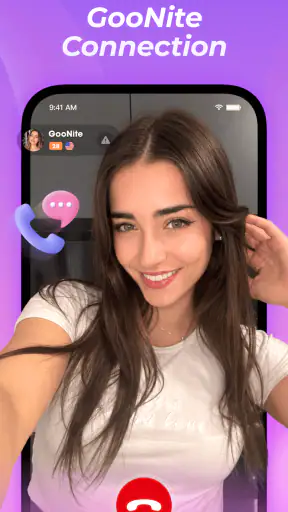
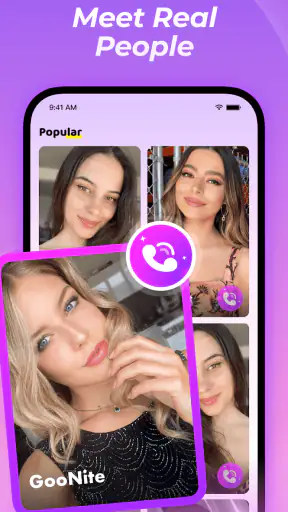
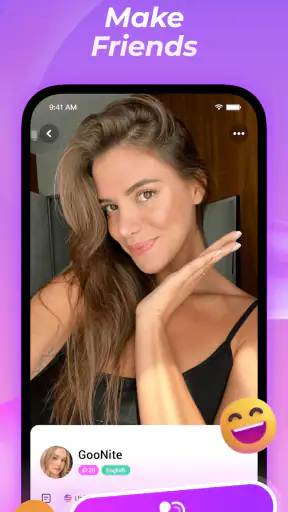
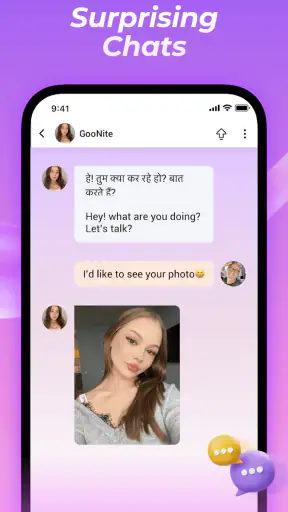
Video chat is easy to start and surprisingly difficult to make comfortable when two people do not share a language. That is the problem I kept coming back to while using Goonite, a social app from MGODIN LLC built around worldwide video conversations and automatic translation. Its main appeal is not simply meeting someone on camera; it is reducing the pause between hearing an unfamiliar language and understanding what the other person means.
I found the idea most useful in short, low-pressure conversations where curiosity matters more than perfect grammar. The app is free to download, aimed at mature users, and listed with a 4.6 average from around 23 thousand ratings. It has passed the million-install mark, so it is not an obscure experiment with no visible audience. Still, those numbers do not remove the practical questions: how natural does translated conversation feel, when is it genuinely better than ordinary video chat, and when should I choose a more familiar social platform instead?
Automatic translation is the feature that changes the conversation
The defining capability is automatic translation during video chat. In a normal call, language differences quickly turn into a shared technical problem. One person repeats a sentence, the other opens a separate translation tool, and both people lose the rhythm of the exchange. Goonite’s approach is more direct: the conversation is designed around the idea that translation can sit between the speakers instead of forcing them to leave the call.
That makes the app particularly interesting for people who want international contact but are not ready to study a language before trying it. I could imagine using it to speak with someone about food, travel, music, or daily routines without treating every mistake as an embarrassment. The translation does not make communication identical to speaking the same language, but it can lower the entry barrier enough for a real conversation to begin.
The important distinction is that translation helps people connect; it does not guarantee perfect interpretation. Tone, jokes, slang, names, and short replies can all be harder for an automated system than clear, complete sentences. I would therefore treat the feature as a bridge, not as a professional interpreter. That mindset produces a better experience because I am more likely to rephrase calmly instead of assuming that an awkward translation reflects the other person’s intention.
This also explains why Goonite feels different from a standard social network. A conventional messaging app usually expects me to bring my own contacts, while a language-learning app often gives me structured exercises or text exchanges. Here, the emphasis is on live visual interaction. Seeing facial expressions and gestures can add context that a translated text message cannot, although it also makes misunderstandings feel more immediate.
What a first conversation feels like
I would approach the first call as a test of clarity rather than a performance. Short sentences are better than complicated ones, and concrete questions are easier to translate than wordplay. “What did you eat today?” is more useful than a long question containing several ideas. If the response seems strange, I would ask the person to say it another way before deciding that the conversation is going badly.
That small change in behavior is one of the less obvious lessons of this kind of app. The strongest users are not necessarily the most fluent speakers. They are the people who know how to make a conversation translation-friendly: one topic at a time, familiar vocabulary, and enough patience for both sides to check meaning. Goonite gives that style of communication a reason to exist.
The mature age classification also matters when deciding whether to recommend it. I would not present this as a casual children’s social app or hand it to a younger user without careful supervision. Live interaction with people around the world requires the same caution I would use on any open social video service: avoid sharing personal details too quickly, leave conversations that feel uncomfortable, and remember that a friendly introduction does not establish trust.
Using it in an ordinary day
A realistic use case is a quiet evening when I want to meet people outside my usual circle but do not want a formal lesson. I might begin with a simple conversation about local food, compare weekend routines, and use the translation support whenever the language gap becomes a problem. The value is not that every exchange becomes deep. The value is that a small amount of curiosity can turn into a conversation that would probably never happen through my existing contacts.
Another useful scenario is preparing for a trip. I could use a call to practice asking for directions, discussing common customs, or learning how a local person describes a place. I would not rely on an informal social call for safety-critical translation, reservations, medical information, or legal matters. For those situations, a trusted professional translation service or an established travel tool is the better choice.
There is also a social benefit for people who feel nervous about making language mistakes in person. A video call still requires courage, but the purpose is clearer: both participants already understand that translation may be part of the exchange. That shared expectation can make errors less awkward than they would be in a conversation where one person is expected to speak flawlessly.
How the translation changes the way I use the app
The most effective workflow is to treat each call as a sequence of small topics. I would start by agreeing on a simple subject, ask one question, listen carefully, and then confirm anything important. This sounds basic, but it prevents the conversation from becoming a pile of translated fragments. It also gives the other person a fair chance to correct an interpretation without feeling challenged.
I would keep personal information out of the early exchanges. A translated conversation can create a false sense of closeness because the technical barrier has dropped so quickly. I would avoid giving out my home address, workplace details, financial information, private social accounts, or anything that could identify my routine. If a person pushes for those details, the translation feature is no longer the main issue; the pressure itself is a reason to end the call.
A second practical tip is to use visual context carefully. Showing a meal, a book, or a public place can give the conversation an easy subject and reduce the amount of language required. At the same time, I would check what is visible in the camera frame before starting. A social video app is more enjoyable when I choose what to reveal rather than allowing the background to reveal it for me.
I would also avoid judging the app after a single awkward call. Translation quality depends heavily on the speakers’ phrasing and on the topic. A conversation filled with names, regional expressions, or sarcasm is a difficult test. A simple exchange about hobbies or daily routines gives the system a fairer chance and gives both users a clearer way to notice whether the experience suits them.
Where it beats the usual alternatives
Compared with ordinary video calling, Goonite’s advantage is obvious when the participants do not share a comfortable language. A familiar video messenger may offer a smoother call with friends and family, but it does not solve the central communication gap by itself. In that situation, I would otherwise need a second translation app, repeated explanations, or a separate text conversation.
Compared with text-first language exchange services, live video gives faster feedback. I can hear hesitation, see a reaction, and adjust the question immediately. That makes it more personal, but also more demanding. Someone who prefers to compose every sentence carefully may be happier with text chat, where there is more time to edit and less pressure from a live camera.
Compared with structured language-learning apps, Goonite is less about a lesson plan and more about spontaneous contact. I would not choose it as my only method for learning grammar or building a systematic vocabulary. I would choose it when my goal is to practice real interaction, discover how people actually talk about ordinary subjects, and become less afraid of making mistakes.
That difference is important for expectations. If I want scheduled teaching, measurable exercises, or a controlled curriculum, a dedicated learning product is likely the stronger choice. If I want a live social experience where automatic translation can help two strangers find common ground, this app has a more specific reason to be installed.
The friction that translation cannot remove
Automatic translation can interrupt the natural timing of a conversation. A pause that would feel normal in a classroom may feel uncomfortable on camera, especially when both people are waiting for the other to react. I would not use the app expecting every exchange to flow like a conversation between fluent speakers. The best calls will probably include moments of checking, rephrasing, and patient silence.
There is also a social trade-off. Because the app focuses on worldwide video contact, the quality of the experience depends on the people I encounter as much as on the translation itself. Some calls may be engaging, while others may feel shallow or mismatched. That is normal for an open social service, but users who want predictable conversations should know that the discovery element can be both the attraction and the inconvenience.
The mature rating makes the audience narrower than a general-purpose family communication tool. I see that as a clear signal to use judgment, not as a promise that every interaction will be mature in behavior. I would not assume that an age label replaces personal boundaries, reporting habits, or common sense.
Cost is another point to watch. The app itself is free, but optional purchases range from less than a dollar to almost a hundred dollars per item. I would begin without spending anything and only consider an in-app purchase after understanding exactly what it changes in my own use. A free entry point is helpful, but it can become expensive if I buy impulsively during the excitement of meeting new people.
The current version is 1.1.4, and the app was released on August 5, 2025. That places it in a relatively early stage compared with long-established social platforms. I would interpret that as a reason to keep expectations practical: the central idea is clear, but the overall experience may feel less mature than services that have spent years refining every part of international communication.
Who will get the most from Goonite?
I think the best audience is an adult who is genuinely interested in people from other countries and sees translation as a helpful safety net rather than a magic solution. Travelers, language learners, internationally curious users, and people tired of communicating only within their existing social circle are the natural fit. The app is especially appealing if the thought of making a language mistake has stopped you from trying live conversation at all.
I would also recommend it to someone who learns best through real situations. Discussing a favorite dish, explaining a local custom, or comparing workday routines can reveal useful language patterns that no isolated vocabulary list can provide. The benefit comes from repeating that process and becoming more comfortable with uncertainty, not from expecting one call to produce fluency.
On the other hand, I would skip it if I mainly want a private way to contact people I already know. A standard messenger will usually be simpler. I would also choose another option if I need dependable professional translation, a carefully moderated educational environment, or a structured course with lessons and progress tracking. Goonite’s strength is the meeting point between social discovery and live translation, so it is less convincing outside that intersection.
Before recommending it to a friend, I would give three practical instructions. Start with harmless, easy-to-translate subjects. Keep the first calls short enough to end comfortably. And do not spend money until the free experience has shown that the people and conversation style are right for you. Those habits protect the user from the two biggest disappointments: expecting translation to erase every misunderstanding and mistaking a convenient first connection for a trusted relationship.
My overall view is positive but deliberately measured. Goonite gives worldwide video chat a clear purpose by placing automatic translation at the center of the experience. That can make international conversation feel possible for people who would otherwise stay with text, avoid unfamiliar languages, or depend on separate translation tools. It is not the best replacement for a private messenger, a professional interpreter, or a full language course, and the mature social setting calls for sensible boundaries.
For the right user, though, the trade-off is worthwhile. I would install it when my goal was to have a real-time conversation with someone beyond my language circle, especially if I was willing to speak simply, listen patiently, and accept a few imperfect moments. Goonite works best when translation is treated as an invitation to connect, not as a guarantee that communication will require no effort.


